


Committee Leader Resources
The Night to Shine Committee Leader Resources include the essential tools and information for successful event planning. Each committee leader will find resources related to your area, enabling you to stay updated. This page is designed to support you in leading your team efficiently and making our Night to Shine event a night to remember!
Inventory
We have a large inventory of supplies and decorations from past years. We prefer to use existing inventory before making additional purchases. Click here to view 2025 Inventory List.
If you would like to reserve an item that is on the 2025 Inventory List for your committee, please email Bonnie Thompson with your request.
If you are in need of a new item, please submit your purchase using the Procurement Form.
Fillable Forms
Procurement Process
Our goal is to efficiently manage the procurement process for all Night to Shine needs. Once a Committee submits a Procurement Form, we will follow these steps.
Step 1: We will check if the item is available in our existing inventory or if we have something similar.
Step 2: If not, we will explore adding the item to our Amazon registry for supporters to purchase. We also have the option to reach out to B&B to see if they can source the item for us.
Step 3: If none of these options work, we will order the item before the needed date on the Procurement form.
Guest Data Change Request
If you have guest data changes like name tag specification, caregiver update, boutique or salon appointments, please use the button below to submit guest changes.
Arena Access
First-Time Login
(How to Create Shortcut)
On the left menu, click ‘Event Tag’
Click ‘Discipleship’ > ‘Family Ministry’> ‘Night to Shine’
If you are on the Leadership Team, check the ‘Subscribe’ box to the left of your Team. If you are a Committee Leader, click into the Team you are on, then check the ‘Subscribe’ box to the left of your Committee.
Then in the top, right corner, click the button with your initials and select ‘Refresh Cache.’ You will now have a short cut to your Committee Members.
Regular Login
(How to Look Up Team Members)
When you login, select the second button in the top, right corner of your screen (book icon).
You can see how many people are registered in your committee. Now select your committee from the list.
You will land on the ‘Registrations,’ select ‘Registrants.’ It may take a minute to load, please don’t double click.
Scroll to the bottom, use the horizontal scroll bar to move to the right. Click the ‘Excel’ button (green worksheet) to pull all of this information into an Excel sheet. You can edit the excel sheet.
Documents Library
-
Provides details on the Night to Shine logo, official colors, fonts, usage guidelines, and more. Please use this as a guide to help in marketing and representing Night to Shine consistently worldwide.
-
The Night to Shine logo is a registered trademark of the Tim Tebow Foundation that you are welcome to use to help promote your Night to Shine. When using this logo, we do ask that you follow the guidelines below. If you have any questions at all, please check with your Night to Shine staff representative.
The approved logotype is the horizontal version and should only be used this way. The logotype can be used entirely in black, entirely in white or the approved color palette found in the official Night to Shine Brand Guide. If using black, the logotype cannot be tinted; it must remain 100% black.
Do not stretch, splice, distort or use the logo in any manner other than identified. No elements may be removed or added and the relationship between the elements should not be altered when used on printed documents, signage or promotional and give-away items. Please always provide adequate clear space around the logo and do not use a size smaller than 1.25” wide.
-
We believe prayer is so powerful and want to cover every detail of Night to Shine in prayer! If you and your team are looking for ideas and suggestions of ways to be praying over NTS, we encourage you to check out the 2025 Night to Shine Prayer Guide. The guide begins on Sunday, January 12, 2025 and includes weekly focuses and daily topics to pray over.
Click here to view.
2025 Leadership Team
-

Donna Hendren
TEAM LEADER
-

Darlene Schmerschneider
EVENT COORDINATOR
-
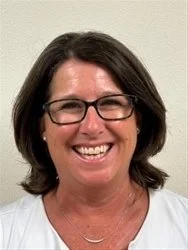
Dana Osmanski
EVENT COORDINATOR
-

Don Buckey
GUEST SERVICES
-

Elaine Buckey
GUEST SERVICES
-

Gary Search
LOGISTICS LEADER
-

Debbie Search
LOGISTICS LEADER
-

Sue Boyer
REGISTRATION/ADMIN
-
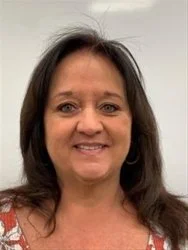
Susan Errico
FINANCE